Three years ago we built a tool that wrote for you.
This month we threw it out and started over. The new AIWritingPal is a quiet writing editor built around one rule: you write, AI edits. There’s a Mac app now, too.
We used to build the other kind of tool
AIWritingPal launched in 2023 as a template generator. You filled in a form, pressed a button and got a draft. People generated more than forty-one million words with it.
Three years in, we were sure of one thing: writing nobody wrestled with is writing nobody remembers. And by 2026, generating a draft isn’t a product any more. Every chat box does it. What got scarce is a piece that sounds like the person who signed it.
So we didn’t patch the old product. We rewrote it.
Blue Pencil: every change waits for you
For more than a century, editors marked up manuscripts with a blue pencil. Cut this, tighten that. The writer decided what stayed. That’s the job we gave our AI, and it’s why it’s called Blue Pencil.
Open the editor and you get a blank page and a cursor. No chat box. When a paragraph is down, select it and tell Blue Pencil what you want: improve, shorten, expand, fix, translate, or say it in your own words. It edits in the language you wrote in, whether that’s English, Chinese, Japanese or Spanish.
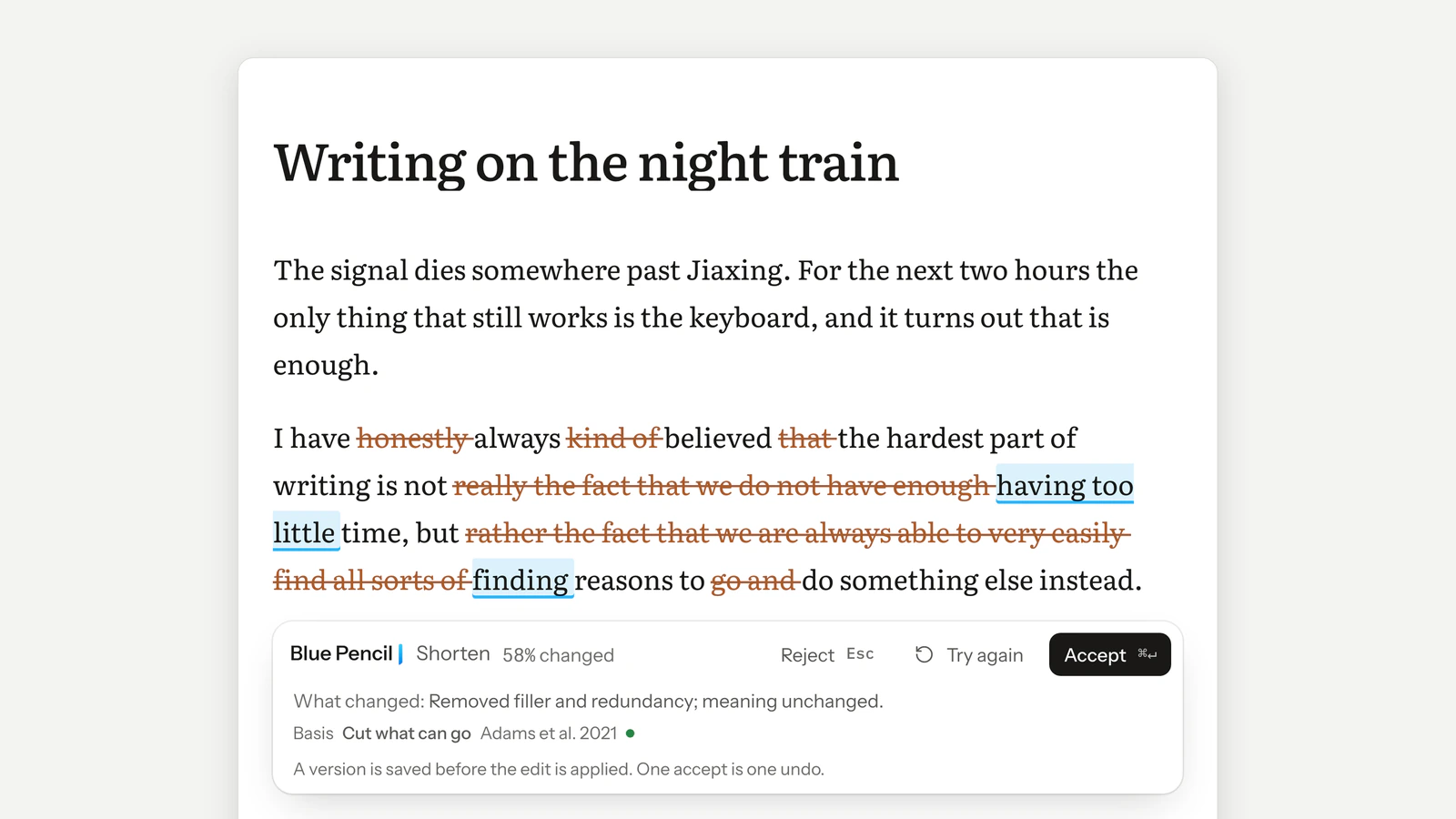
What comes back isn’t a new block of text. It’s markup on yours: struck-through words are cuts, blue underlines are additions, with a line on what changed and why. The image at the top of this post is Blue Pencil shortening one paragraph.
⌘↵ accepts. Esc rejects. Nothing changes until you say yes, and the words the AI wrote stay marked afterwards, so you always know which ones are yours.
Review: questions before rewrites
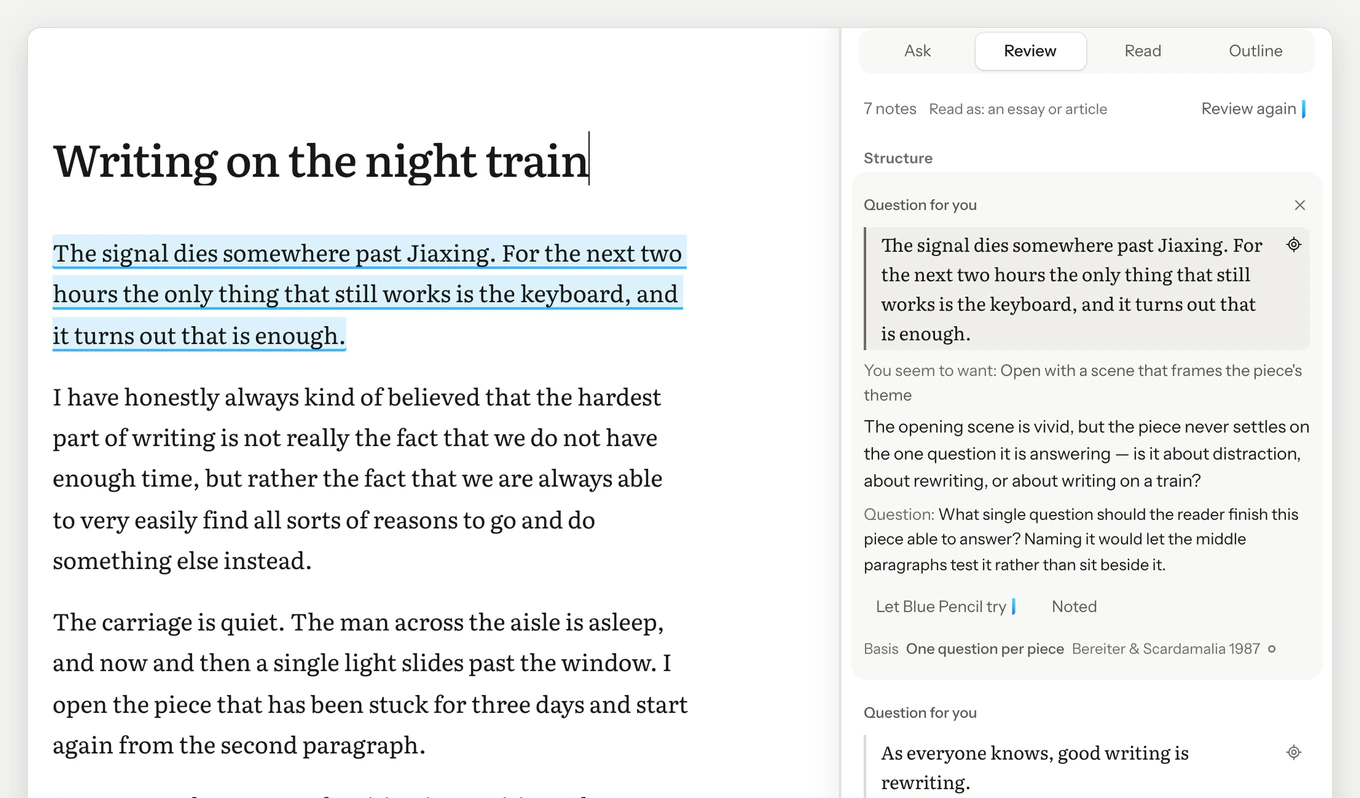
When a draft is done, ask Blue Pencil to review it. It reads the way an editor does, structure first, then sentences, then conventions, and puts the notes that matter most at the top.
Where a fix would change what you mean, it asks instead of rewriting. And every note shows its basis: the writing method it rests on and where that method comes from. A note that can’t name one never reaches you. The library is public, 39 methods so far, on the methods page.
A Mac app that works offline
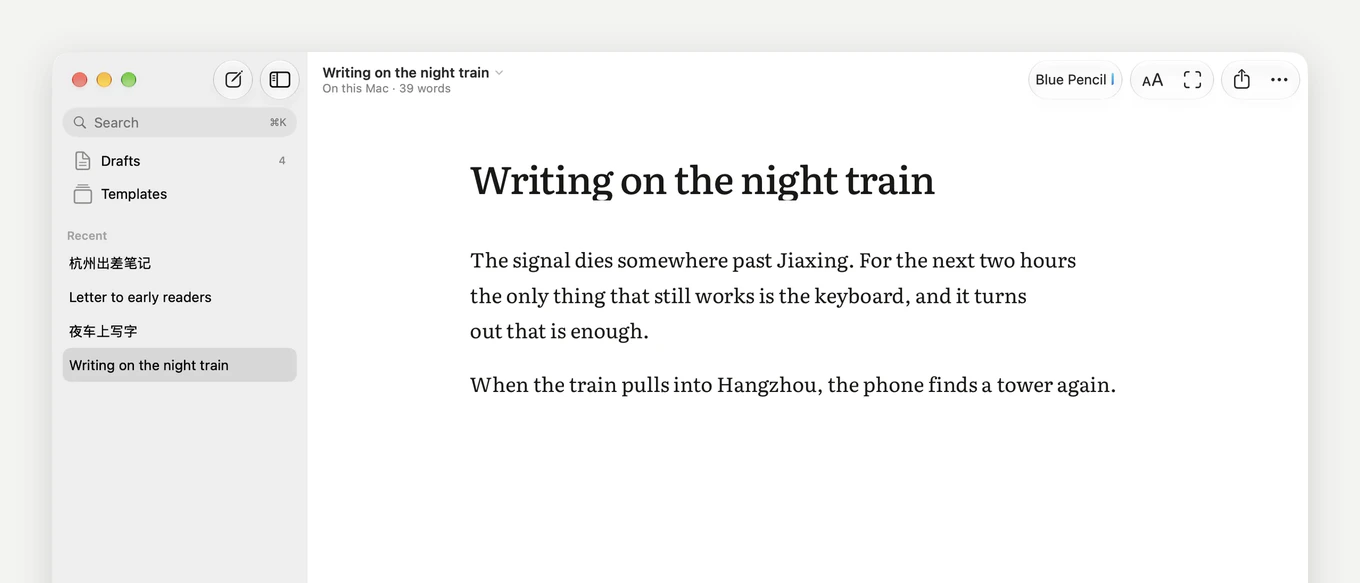
The thing we most want you to try is the Mac app. It’s a native macOS app that opens at once, with the draft you left already on the page.
It works offline. On a train or a plane, drafts are saved on your Mac and sync when you’re back online. Open the same draft on the web and on the Mac, and each side sees the other’s words as they’re typed. We held sync to one standard: no word gets lost.
It needs macOS 15 or later, and you don’t need an account to write. Windows is in the works; until then, the editor runs in any browser.
Why $1 a month
Writing is free and stays free: the editor, focus mode, the Mac app, and export to Markdown, Word and PDF.
Blue Pencil comes with 1,000 free words to try. After that it’s unlimited for $1 a month, billed $12 a year, the same price everywhere.
We set it there because we don’t want price to be the reason anyone goes without an editor. A student, someone just starting a newsletter, someone writing in their second language: all of them should be able to afford one. It can be this cheap because editing doesn’t need the most expensive model for every sentence. We built Blue Pencil to be efficient, and we pass that on.
If it isn’t for you, there’s a full refund within 14 days. Details are on the pricing page.
Take another look
If you used the old AIWritingPal, the template forms and the chat page are gone, and your documents are all still there under Drafts.
If you haven’t opened it in a while, it’s a different product now. Open the editor and write the first sentence. We’ll be there for the second draft.
— The AIWritingPal team